Maintaining a public-key based integration
Details and guidance on maintaining a legacy public_key based Link integration for older Plaid API versions.
Overview
In July 2020, Plaid introduced the link_token, which replaces the static public_key. While integrations using the public_key are still supported, it is recommended that you upgrade your integration to use a link_token instead, as future Plaid development and features will be based on the link_token infrastructure. To start upgrading, see the Link token migration guide.
Plaid Link for Web
This section provides instructions for maintaining Plaid integrations using the deprecated public_key parameter. These instructions cannot be used for new integrations or for adding OAuth support to existing integrations. For up-to-date content on this topic, see the Link Web SDK instead. For instructions on updating an existing legacy integration, see the Link token migration guide.
Installation
Include the Plaid Link initialize script on each page of your site. It should always be loaded directly from https://cdn.plaid.com, rather than included in a bundle or hosted yourself.
1<script src="https://cdn.plaid.com/link/v2/stable/link-initialize.js"></script>Create
Plaid.create accepts one argument, a configuration Object, and returns an Object with two functions, open and exit. Calling open will display the Consent Pane view, and calling exit will close Link.
Note: Control whether or not your Link integration uses the Account Select view from the Dashboard.
clientNameenvdevelopment, sandbox, respectively. For Production use, use production.keypublic_key associated with your account; available from the Dashboard.producttransactions, auth, identity, assets, investments, liabilities, and payment_initiation. Example: ['auth', 'transactions']. balance is not a valid value, the Balance product does not require explicit initialization and will automatically be initialized when any other product is initialized. Only institutions that support all requested products will be shown in Link. In Production, you will be billed for each product that you specify when initializing Link. Note that a product cannot be removed from an Item once the Item has been initialized with that product. To stop billing on an Item for subscription-based products, such as Liabilities, Investments, and Transactions, remove the Item via
/item/remove.onEventeventName string and a metadata object.onLoadplaidLinkHandler.open() prior to the onLoad callback will be delayed until the module is fully loaded.language- English (
'en') - French (
'fr') - Spanish (
'es') - Dutch (
'nl')
language must be set to match the language used in the customization.countryCodesUS, CA, ES, FR, GB, IE, NL. If not specified, will default to ['US']. If Link is launched with multiple countryCodes, only products that you are enabled for in all countries will be used by Link.If a Link customization is being used, the countries configured here should match those in the customization.
To use the Auth features Instant Match, Automated Micro-deposits, or Same-day Micro-deposits,
countryCodes must be set to ['US'].accountSubtypesproduct parameter. You can further limit the accounts shown in Link by using accountSubtypes to specify the account subtypes to be shown in Link. Only the specified subtypes will be shown. To indicate that all subtypes should be shown, use the value "all". If the accountSubtypes filter is used, any account type for which a filter is not specified will be entirely omitted from Link.Example value:
{
"depository": ["checking", "savings"],
"credit": ["all"]
}
For a full list of valid types and subtypes, see the Account schema.
For institutions using OAuth, the filter will not affect the list of institutions shown by the bank in the OAuth window.
<accountType>: [accountSubtype]accountTypes composed of an array of accountSubtypes to filter.webhookAuth numbers have been successfully verified.tokenpublic_token to launch Link in update mode for a particular Item. This will cause Link to open directly to the authentication step for that Item's institution. Use the /item/public_token/create endpoint to generate a public_token for an Item.linkCustomizationNamedefault customization is used if none is provided. When using a Link customization, the language in the customization must match the language configured via the language parameter.oauthNonceoauthNonce is required to support OAuth authentication flows when launching or re-launching Link on a mobile device and using one or more European country codes. The nonce must be at least 16 characters long.oauthRedirectUrioauthRedirectUri is required to support OAuth authentication flows when launching Link on a mobile device. Note that any redirect URI must also be added to the Allowed redirect URIs list in the developer dashboard.oauthStateIdoauthStateId is required to support OAuth authentication flows when re-launching Link on a mobile device.paymentTokenpaymentToken must be specified if you are using the Payment Initiation (UK and Europe) product. This will cause Link to open directly to the Payment Initiation flow. Use the /payment_initiation/payment/token/create endpoint to generate a payment_token.userLegalNameuserPhoneNumberuserEmailAddress1const handler = Plaid.create({2 clientName: 'Plaid Quickstart',3 env: 'sandbox',4 key: 'PUBLIC_KEY',5 product: ['transactions'],6 onSuccess: (public_token, metadata) => {},7 onLoad: () => {},8 onExit: (err, metadata) => {},9 onEvent: (eventName, metadata) => {},10 countryCodes: ['US'],11 webhook: 'https://requestb.in',12 linkCustomizationName: '',13 language: 'en',14 oauthNonce: null,15 oauthRedirectUri: null,16 oauthStateId: null,17 token: null,18 paymentToken: null,19});onSuccess
The onSuccess callback is called when a user successfully links an Item. It takes two arguments: the public_token and a metadata object.
public_tokenmetadatainstitutionnull.name'Wells Fargo'institution_idaccountsaccounts will only include selected accounts.idaccount_idnamemasktypesubtypeverification_statuspending_automatic_verification: The Item is pending automatic verificationpending_manual_verification: The Item is pending manual micro-deposit verification. Items remain in this state until the user successfully verifies the deposit.automatically_verified: The Item has successfully been automatically verifiedmanually_verified: The Item has successfully been manually verifiedverification_expired: Plaid was unable to automatically verify the deposit within 7 calendar days and will no longer attempt to validate the Item. Users may retry by submitting their information again through Link.verification_failed: The Item failed manual micro-deposit verification because the user exhausted all 3 verification attempts. Users may retry by submitting their information again through Link.null: micro-deposit-based verification is not being used for the Item.class_typebusiness or personal account.accountaccounts instead.link_session_idtransfer_statusCOMPLETE– The transfer was completed.INCOMPLETE– The transfer could not be completed. For help, see Troubleshooting transfers.
COMPLETE, INCOMPLETE1const handler = Plaid.create({2 ...,3 onSuccess: (public_token, metadata) => {4 fetch('//yourserver.com/exchange_public_token', {5 method: 'POST',6 body: {7 public_token: public_token,8 accounts: metadata.accounts,9 institution: metadata.institution,10 link_session_id: metadata.link_session_id,11 },12 });13 }14});1{2 institution: {3 name: 'Wells Fargo',4 institution_id: 'ins_4'5 },6 accounts: [7 {8 id: 'ygPnJweommTWNr9doD6ZfGR6GGVQy7fyREmWy',9 name: 'Plaid Checking',10 mask: '0000',11 type: 'depository',12 subtype: 'checking',13 verification_status: ''14 },15 {16 id: '9ebEyJAl33FRrZNLBG8ECxD9xxpwWnuRNZ1V4',17 name: 'Plaid Saving',18 mask: '1111',19 type: 'depository',20 subtype: 'savings'21 }22 ...23 ],24 link_session_id: '79e772be-547d-4c9c-8b76-4ac4ed4c441a'25}onExit
The onExit callback is called when a user exits Link without successfully linking an Item, or when an error occurs during Link initialization. onExit takes two arguments, a nullable error object and a metadata object. The metadata parameter is always present, though some values may be null. Note that onExit will not be called when Link is destroyed in some other way than closing Link, such as the user hitting the browser back button or closing the browser tab on which the Link session is present.
errorerror_typeerror_codeerror_type has a specific set of error_codes.error_messagedisplay_messagenull if the error is not related to user action. This may change over time and is not safe for programmatic use.metadatainstitutionnull.nameWells Fargoinstitution_idstatusrequires_questionsrequires_selectionsrequires_codechoose_devicerequires_credentialsrequires_accountrequires_oauthinstitution_not_foundinstitution_notlink_session_idrequest_id1const handler = Plaid.create({2 ...,3 onExit: (error, metadata) => {4 // Save data from the onExit handler5 supportHandler.report({6 error: error,7 institution: metadata.institution,8 link_session_id: metadata.link_session_id,9 plaid_request_id: metadata.request_id,10 status: metadata.status,11 });12 },13});1{2 error_type: 'ITEM_ERROR',3 error_code: 'INVALID_CREDENTIALS',4 error_message: 'the credentials were not correct',5 display_message: 'The credentials were not correct.',6}1{2 institution: {3 name: 'Wells Fargo',4 institution_id: 'ins_4'5 },6 status: 'requires_credentials',7 link_session_id: '36e201e0-2280-46f0-a6ee-6d417b450438',8 request_id: '8C7jNbDScC24THu'9}onEvent
The onEvent callback is called at certain points in the Link flow. It takes two arguments, an eventName string and a metadata object.
The metadata parameter is always present, though some values may be null. Note that new eventNames, metadata keys, or view names may be added without notice.
The onEvent callback is not guaranteed to fire exactly at the time of a user action in Link. In general, the OPEN event will fire in real time; subsequent events will fire at the end of the Link flow, along with the onSuccess or onExit callback. If you need to determine the exact time when an event happened, use the timestamp in the metadata.
The following callback events are stable, which means that they will not be deprecated or changed: OPEN, EXIT, HANDOFF, SELECT_INSTITUTION, ERROR, BANK_INCOME_INSIGHTS_COMPLETED, IDENTITY_VERIFICATION_PASS_SESSION, IDENTITY_VERIFICATION_FAIL_SESSION. The remaining callback events are informational and subject to change.
eventNameBANK_INCOME_INSIGHTSCLOSE_OAUTHCONNECT_NEWERRORerror_code metadata.FAIL_OAUTHHANDOFFIDENTITY_VERIFICATIONview_name.IDENTITY_VERIFICATIONview_name.IDENTITY_VERIFICATIONview_name.IDENTITY_VERIFICATIONIDENTITY_VERIFICATIONIDENTITY_VERIFICATIONIDENTITY_VERIFICATIONIDENTITY_VERIFICATIONIDENTITY_VERIFICATIONIDENTITY_VERIFICATIONIDENTITY_VERIFICATIONIDENTITY_VERIFICATIONMATCHED_SELECTrouting_number was provided when calling /link/token/create. To distinguish between the two scenarios, see metadata.match_reason.MATCHED_SELECT_VERIFYOPENOPEN_MY_PLAIDOPEN_OAUTHSEARCH_INSTITUTIONSELECT_AUTH_TYPEselection metadata to indicate the user's selection.SELECT_BRANDSELECT_BRAND event is only emitted for large financial institutions with multiple online banking portals.SELECT_DEGRADEDDEGRADED health status and was shown a corresponding message.SELECT_DOWNDOWN health status and was shown a corresponding message.SELECT_FILTEREDSELECT_INSTITUTIONSKIP_SUBMIT_PHONESUBMIT_ACCOUNT_NUMBERaccount_number_mask metadata to indicate the mask of the account number the user provided.SUBMIT_CREDENTIALSSUBMIT_DOCUMENTSSUBMIT_DOCUMENTS_ERRORSUBMIT_DOCUMENTSSUBMIT_MFASUBMIT_PHONESUBMIT_ROUTING_NUMBERrouting_number metadata to indicate user's routing number.TRANSITION_VIEWTRANSITION_VIEW event indicates that the user has moved from one view to the next.VERIFY_PHONEVIEW_DATA_TYPESmetadataaccount_number_maskaccount_number_mask is empty. Emitted by SUBMIT_ACCOUNT_NUMBER.error_typeERROR, EXIT.error_codeERROR, EXIT.error_messageERROR, EXIT.exit_statusEXITinstitution_idinstitution_nameinstitution_searchSEARCH_INSTITUTION.is_update_modeOPEN.match_reasonreturning_user or routing_number if emitted by: MATCHED_SELECT_INSTITUTION.
Otherwise, this will be SAVED_INSTITUTION or AUTO_SELECT_SAVED_INSTITUTION if emitted by: SELECT_INSTITUTION.routing_numberSUBMIT_ROUTING_NUMBER.mfa_typecode, device, questions, selections. Emitted by: SUBMIT_MFA and TRANSITION_VIEW when view_name is MFAview_nameTRANSITION_VIEW.ACCEPT_TOSCONNECTEDCONSENTCREDENTIALDATA_TRANSPARENCYDATA_TRANSPARENCYDOCUMENTARYERROREXITKYC_CHECKLOADINGMATCHED_CONSENTMATCHED_CREDENTIALMATCHED_MFAMFANUMBERSOAUTHRECAPTCHARISK_CHECKSCREENINGSELECT_ACCOUNTSELECT_AUTH_TYPESELECT_BRANDSELECT_INSTITUTIONSELECT_SAVED_ACCOUNTSELECT_SAVEDSELFIE_CHECKSUBMIT_PHONEUPLOAD_DOCUMENTSVERIFY_PHONEVERIFY_SMSrequest_idlink_session_idlink_session_id is a unique identifier for a single session of Link. It's always available and will stay constant throughout the flow. Emitted by: all events.timestamp2017-09-14T14:42:19.350Z. Emitted by: all events.selectionselection is used to describe selected verification method, then possible values are phoneotp or password; if selection is used to describe the selected Auth Type Select flow, then possible values are flow_type_manual or flow_type_instant. Emitted by: MATCHED_SELECT_VERIFY_METHOD and SELECT_AUTH_TYPE.1const handler = Plaid.create({2 ...,3 onEvent: (eventName, metadata) => {4 // send event and metadata to self-hosted analytics5 analytics.send(eventName, metadata);6 },7});1{2 error_type: 'ITEM_ERROR',3 error_code: 'INVALID_CREDENTIALS',4 error_message: 'the credentials were not correct',5 exit_status: null,6 institution_id: 'ins_4',7 institution_name: 'Wells Fargo',8 institution_search_query: 'wellsf',9 mfa_type: null,10 view_name: 'ERROR'11 request_id: 'm8MDnv9okwxFNBV',12 link_session_id: '30571e9b-d6c6-42ee-a7cf-c34768a8f62d',13 timestamp: '2017-09-14T14:42:19.350Z',14}open()
Calling open will display the Consent Pane view to your user, starting the Link flow. Once open is called, you will begin receiving events via the onEvent callback.
1const handler = Plaid.create({ ... });23// Open Link4handler.open();exit()
The exit function allows you to programmatically close Link. Calling exit will trigger either the onExit or onSuccess callbacks.
The exit function takes a single, optional argument, a configuration Object.
forcetrue, Link will exit immediately. If false, or the option is not provided, an exit confirmation screen may be presented to the user.1const handler = Plaid.create({ ... });23// Graceful exit - Link may display a confirmation screen4// depending on how far the user is in the flow5handler.exit();1const handler = Plaid.create({ ... });23// Force exit - Link exits immediately4handler.exit({ force: true });destroy()
The destroy function allows you to destroy the Link handler instance, properly removing any DOM artifacts that were created by it. Use destroy() when creating new replacement Link handler instances in the onExit callback.
1const handler = Plaid.create({ ... })23// Destroy and clean up the Link handler & iFrame4handler.destroy();Plaid Link for iOS
This section provides instructions for maintaining Plaid integrations using the deprecated public_key parameter. These instructions cannot be used for new integrations or for adding OAuth support to existing integrations. For up-to-date content on this topic, see the Link iOS SDK instead. For instructions on updating an existing legacy integration, see the Link token migration guide.
Overview
Here you find instructions on how to integrate and use Plaid Link for iOS.
At the center of it lies LinkKit.framework:
an embeddable framework managing the details of linking an account with Plaid.
To get up and running quickly with Plaid Link for iOS clone the GitHub repository and try out the example applications, which provide a reference implementation in Swift and Objective-C. Youʼll want to sign up for free API keys to get started.
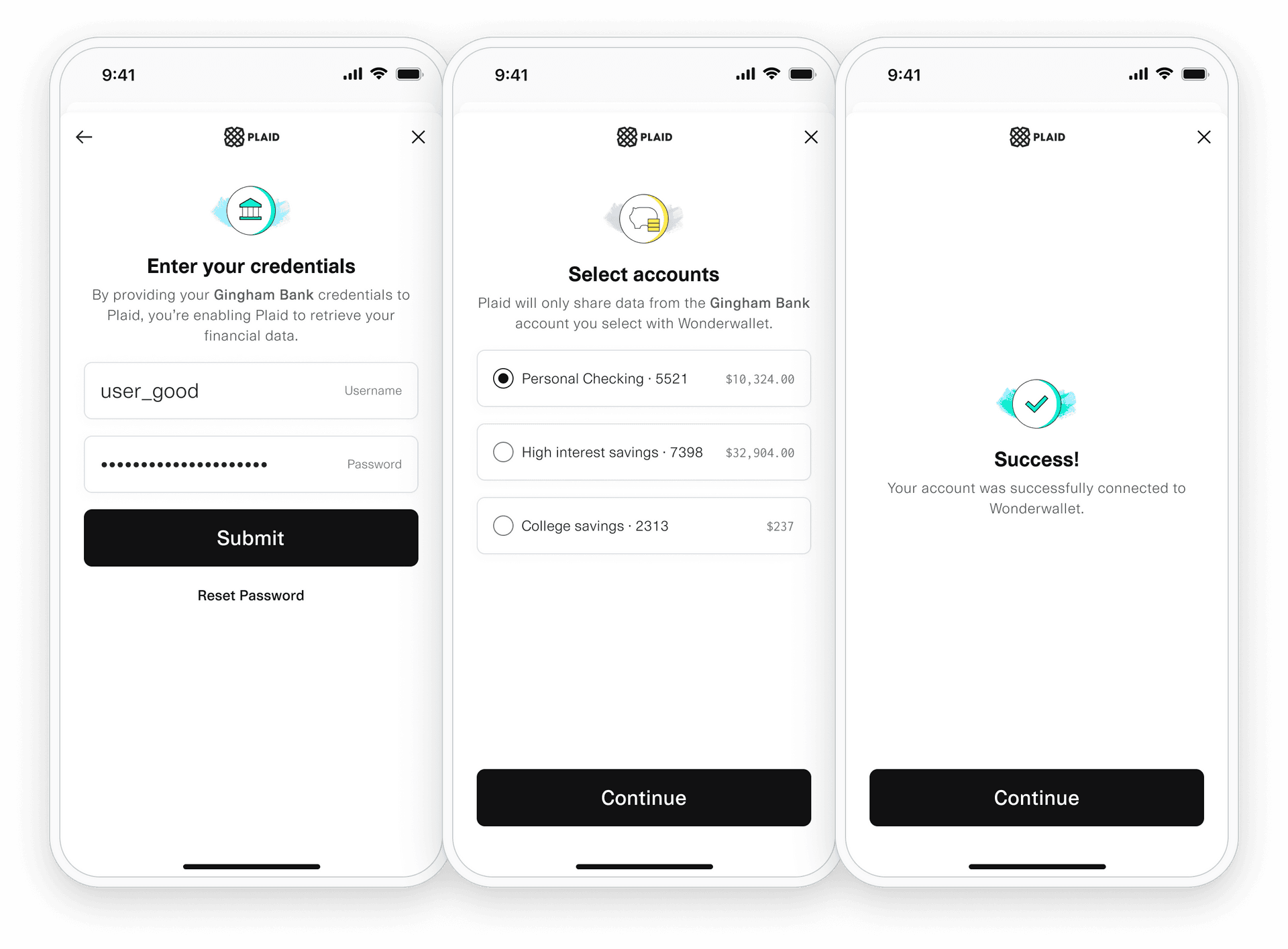
Installation
Plaid Link for iOS is an embeddable framework that is bundled and distributed within your application.
There are several ways to obtain the necessary files and keep them up-to-date; we
recommend using CocoaPods or Carthage. Regardless of what you choose,
submitting a new version of your application with the updated
LinkKit.framework to the App Store is required.
Requirements
- Xcode 7 or greater
- iOS 9.0 or greater
- A Plaid
public_key, available from the Plaid Dashboard - The latest version of the
LinkKit.framework
A new version of LinkKit.framework
will be released around the 15th of every month. We recommend you keep up to
date to provide the best Plaid Link experience in your application.
CocoaPods
- If you haven't already, install the latest version of CocoaPods.
- If you don't have an existing Podfile, run the following command to create one:1pod init
- Add this line to your
Podfile:1pod 'Plaid' - Run the following command:1pod install
- Add a custom Run Script build phase (we recommend naming it Prepare for Distribution ) with the script below,
which prepares the LinkKit.framework for distribution through the App Store.1LINK_ROOT=${PODS_ROOT:+$PODS_ROOT/Plaid/ios}2cp "${LINK_ROOT:-$PROJECT_DIR}"/LinkKit.framework/prepare_for_distribution.sh "${CODESIGNING_FOLDER_PATH}"/Frameworks/LinkKit.framework/prepare_for_distribution.sh3"${CODESIGNING_FOLDER_PATH}"/Frameworks/LinkKit.framework/prepare_for_distribution.sh
- To update to newer releases in the future run:1pod install
Carthage
- If you haven't already, install the latest version of Carthage.
- If you don't have an existing Podfile, run the following command to create one:1pod init
- Add this line to your
Podfile:1github "plaid/plaid-link-ios" - Add a custom Run Script build phase (we recommend naming it
Prepare for Distribution) with the script below, which prepares the LinkKit.framework for distribution through the App Store.1LINK_ROOT=${PODS_ROOT:+$PODS_ROOT/Plaid/ios}2cp "${LINK_ROOT:-$PROJECT_DIR}"/LinkKit.framework/prepare_for_distribution.sh "${CODESIGNING_FOLDER_PATH}"/Frameworks/LinkKit.framework/prepare_for_distribution.sh3"${CODESIGNING_FOLDER_PATH}"/Frameworks/LinkKit.framework/prepare_for_distribution.sh - To update to newer releases in the future run:1carthage update plaid-ios --platform ios
Manual
Get the latest version of LinkKit.framework
and embed it into your application.
Embed LinkKit.framework
into your application, for example by dragging and dropping the file onto the
Embed Frameworks build phase as shown below.

Depending on the location of the LinkKit.framework
on the filesystem you may need to change the Framework Search Paths
build setting to avoid the error: fatal error: 'LinkKit/LinkKit.h' file not found.
For example, the LinkDemo Xcode projects
have it set to FRAMEWORK_SEARCH_PATHS = $(PROJECT_DIR)/../
since the LinkKit.framework file is shared between them and is kept in
the directory that also contains the demo project directories.

Finally, add a Run Script build phase (we recommend naming it Prepare for Distribution)
with the script below. Be sure to run this build
phase after the Embed Frameworks build phase or [CP] Embed Pods Frameworks build phase when integrating
using CocoaPods, otherwise LinkKit.framework
will not be properly prepared for distribution.
Failing to execute the run script build phase after the embed frameworks build phase very likely get your application rejected during App Store submission or review.


The script below removes from the framework any non-iOS device code that is included to support running LinkKit in the Simulator but that may not be distributed via the App Store.
Failing to run the script below will very likely get your application rejected during App Store submission or review.
Change the \${PROJECT_DIR\}/LinkKit.framework path in the example below according to
your setup, and be sure to quote the filepaths when they contain whitespace.
1LINK_ROOT=\${PODS_ROOT:+$PODS_ROOT/Plaid/ios\}2cp "\${LINK_ROOT:-$PROJECT_DIR\}"/LinkKit.framework/prepare_for_distribution.sh "\${CODESIGNING_FOLDER_PATH\}"/Frameworks/LinkKit.framework/prepare_for_distribution.sh3"\${CODESIGNING_FOLDER_PATH\}"/Frameworks/LinkKit.framework/prepare_for_distribution.shImplementation
To use Plaid Link for iOS import LinkKit and its symbols into your code.
1import LinkKit23extension ViewController : PLKPlaidLinkViewDelegate {45 // call presentPlaidLink to create + initialize Link6 func presentPlaidLink() {7 let linkViewController = PLKPlaidLinkViewController(configuration: PLKConfiguration(...), delegate: self)8 present(linkViewController, animated: true)9 }1011 // handle didSucceedWithPublicToken delegate method12 func linkViewController(13 _ linkViewController: PLKPlaidLinkViewController,14 didSucceedWithPublicToken publicToken: String,15 metadata: [String : Any]?) { /* handle success */ }1617 // handle didExitWithError delegate method18 func linkViewController(19 _ linkViewController: PLKPlaidLinkViewController,20 didExitWithError error: Error?,21 metadata: [String : Any]?) { /* handle exit | error */ }2223 // handle didHandleEvent delegate method24 func linkViewController(25 _ linkViewController: PLKPlaidLinkViewController,26 didHandleEvent event: String,27 metadata: [String : Any]?) { /* handle exit | error */ }28}Configure & present Link
Starting the Plaid Link for iOS experience is as simple as creating and presenting an instance of PLKPlaidLinkViewController. Then, create an instance of PLKConfiguration and pass that during the initialization of the PLKPlaidLinkViewController.
env.sandbox.development.production
keypublic_key associated with your account; available in the Plaid Dashboard.product.auth.transactions.identity.assets.investments.liabilities.payment_initiation
Example:
[.auth, .transactions]. .balance is not a valid value, the Balance product does not require explicit initialization and will automatically be initialized when any other product is initialized. Only institutions that support all requested products will be shown in Link. In Production, you will be billed for each product that you specify when initializing Link. Note that a product cannot be removed from an Item once the Item has been initialized with that product. To stop billing on an Item for subscription-based products, such as Liabilities, Investments, and Transactions, remove the Item via
/item/remove.clientNamelanguage- English (
'en') - French (
'fr') - Spanish (
'es') - Dutch (
'nl')
language must be set to match the language used in the customization profile.countryCodesUSCAESFRGBIENL
If not specified, will default to
['US']. If Link is launched with multiple countryCodes, only products that you are enabled for in all countries will be used by Link.If a Link customization is being used, the countries configured here should match those in the customization.
To use the Auth features Instant Match, Automated Micro-deposits, or Same-day Micro-deposits,
countryCodes must be set to ['US'].accountSubtypesproduct parameter. You can further limit the accounts shown in Link by using accountSubtypes to specify the account subtypes to be shown in Link. Only the specified subtypes will be shown. To indicate that all subtypes should be shown, use the value "all". If the accountSubtypes filter is used, any account type for which a filter is not specified will be entirely omitted from Link.Example value:
{
"depository": ["checking", "savings"],
"credit": ["all"]
}
For a full list of valid types and subtypes, see the Account schema.
For institutions using OAuth, the filter will not affect the list of institutions shown by the bank in the OAuth window.
webhooklinkCustomizationNamedefault customization is used if none is provided. When using a Link customization, the language specified in the customization must match the language configured via the language parameter.oauthNonceoauthNonce is required to support OAuth authentication flows when launching or re-launching Link on a mobile device and using one or more European country codes. The nonce must be at least 16 characters long.oauthRedirectUrioauthRedirectUri is required to support OAuth authentication flows when launching Link on a mobile device and using one or more European country codes. Any redirect URI must also be added to the Allowed redirect URIs list in the developer dashboard. For mobile app integrations, the redirect URI must be registered as an app link (not custom URI) to enable app-to-app authentication flows. You will need to configure an Android App Link or Apple App Association File. Custom URI schemes are not supported; a proper universal link must be used.oauthStateIdoauthStateId is required to support OAuth authentication flows when re-launching Link on a mobile device and using one or more European country codes.paymentTokenpaymentToken must be specified if you are using the Payment Initiation (UK and Europe) product. This will cause Link to open directly to the Payment Initiation flow. Use the /payment_initiation/payment/token/create endpoint to generate a payment_token.1let linkConfiguration = PLKConfiguration(2 env: .sandbox,3 key: "<YOUR_PLAID_PUBLIC_KEY>",4 product: [.auth]5)6linkConfiguration.clientName = "My application";7linkConfiguration.language = "en";8linkConfiguration.countryCodes = ["US", "CA", "GB"];9linkConfiguration.webhook = "https://webhook.com";10linkConfiguration.linkCustomizationName = "default";11linkConfiguration.oauthRedirectUri = "<YOUR_OAUTH_REDIRECT_URI>"12linkConfiguration.oauthNonce = UUID().uuidString1314let linkViewController = PLKPlaidLinkViewController(15 configuration: linkConfiguration,16 delegate: self17)1819present(linkViewController, animated: true)didSucceedWithPublicToken
The closure is called when a user successfully links an Item. It should take a single LinkSuccess argument, containing the publicToken String and a metadata of type SuccessMetadata.
linkSuccesspublicToken and metadata for this successful flow.publicTokenmetadatainstitutionnull.nameinstitutionIDaccountsidaccount_idnamemasksubtypeverificationStatuspending_automatic_verification: The Item is pending automatic verification.pending_manual_verification: The Item is pending manual micro-deposit verification. Items remain in this state until the user successfully verifies the deposit.automatically_verified: The Item has successfully been automatically verified.manually_verified: The Item has successfully been manually verified.verification_expired: Plaid was unable to automatically verify the deposit within 7 calendar days and will no longer attempt to validate the Item. Users may retry by submitting their information again through Link.verification_failed: The Item failed manual micro-deposit verification because the user exhausted all 3 verification attempts. Users may retry by submitting their information again through Link.nil: Micro-deposit-based verification is not being used for the Item.linkSessionIDmetadataJSON1func linkViewController(2 _ linkViewController: PLKPlaidLinkViewController,3 didSucceedWithPublicToken publicToken: String,4 metadata: [String : Any]?5) {6 dismiss(animated: true) {7 // Exchange publicToken with an accessToken on your server8 NSLog("Successfully linked account!\npublicToken: (publicToken)\nmetadata: (metadata ?? [:])")9 }10}1{2 kPLKMetadataInstitutionKey: @{3 kPLKMetadataInstitutionNameKey: 'Wells Fargo',4 kPLKMetadataInstitutionIdKey: 'ins_4'5 },6 kPLKMetadataAccountsKey: [7 @{8 kPLKMetadataIdKey: 'ygPnJweommTWNr9doD6ZfGR6GGVQy7fyREmWy',9 kPLKMetadataNameKey: 'Plaid Checking',10 kPLKMetadataMaskKey: '0000',11 kPLKMetadataTypeKey: 'depository',12 kPLKMetadataSubtypeKey: 'checking',13 kPLKMetadataAccountVerificationStatusKey: ''14 },15 @{16 kPLKMetadataIdKey: '9ebEyJAl33FRrZNLBG8ECxD9xxpwWnuRNZ1V4',17 kPLKMetadataNameKey: 'Plaid Saving',18 kPLKMetadataMaskKey: '1111',19 kPLKMetadataTypeKey: 'depository',20 kPLKMetadataSubtypeKey: 'savings'21 }22 ...23 ],24 kPLKMetadataLinkSessionIdKey: '79e772be-547d-4c9c-8b76-4ac4ed4c441a'25}didExitWithError
This optional closure is called when a user exits Link without successfully linking an Item, or when an error occurs during Link initialization. It should take a single LinkExit argument, containing an optional error and a metadata of type ExitMetadata.
linkExiterror and metadata for when the flow was exited.errorerrorCode, errorMessage, and displayMessage of the error that was last encountered by the user. If no error was encountered, error will be nil. In Objective-C, field names will match the NSError type.errorCodeerrorCode has an associated errorType, which is a broad categorization of the error.errorMessagedisplayMessagenil if the error is not related to user action. This may change over time and is not safe for programmatic use.metadatastatusrequiresQuestionsrequiresSelectionsrequiresCodechooseDevicerequiresCredentialsrequiresAccountSelectioninstitutionNotFoundinstitutionNotSupportedunknownunknown case has an associated value carrying the original exit status as sent by the Plaid API.institutioninstitutionIDnamelinkSessionIDrequestIDmetadataJSON1func linkViewController(2 _ linkViewController: PLKPlaidLinkViewController,3 didExitWithError error: Error?,4 metadata: [String : Any]?5) {6 dismiss(animated: true) {7 if let error = error {8 NSLog("Failed to link account due to: (error.localizedDescription)\n metadata: (metadata ?? [:])")9 self.handleError(error, metadata: metadata)10 }11 else {12 NSLog("Plaid link exited with metadata: (metadata ?? [:])")13 self.handleExitWithMetadata(metadata)14 }15 }16}1{2 kPLKErrorTypeKey: 'ITEM_ERROR',3 kPLKErrorCodeKey: 'INVALID_CREDENTIALS',4 kPLKErrorMessageKey: 'the credentials were not correct',5 kPLKDisplayMessageKey: 'The credentials were not correct.',6}1{2 kPLKMetadataInstitutionKey: @{3 kPLKMetadataInstitutionNameKey: 'Wells Fargo',4 kPLKMetadataInstitutionIdKey: 'ins_4'5 },6 kPLKMetadataLinkSessionIdKey: '36e201e0-2280-46f0-a6ee-6d417b450438',7 kPLKMetadataRequestIdKey: '8C7jNbDScC24THu'8}didHandleEvent
This optional closure is called when certain events in the Plaid Link flow have occurred, for example, when the user selected an institution. This enables your application to gain further insight into what is going on as the user goes through the Plaid Link flow.
The following onEvent callbacks are stable, which means that they will not be deprecated or changed: open, exit, handoff, selectInstitution, error, bankIncomeInsightsCompleted, identityVerificationPassSession, identityVerificationFailSession. The remaining callback events are informational and subject to change.
linkEventeventName and metadata for the Link event.eventNamebankIncomeInsightsCompletedcloseOAuthconnectNewInstitutionerrorerrorCode in the `metadata.failOAuthhandoffidentityVerificationStartStepview_name.identityVerificationPassStepview_name.identityVerificationFailStepview_name.identityVerificationReviewStepidentityVerificationCreateSessionidentityVerificationResumeSessionidentityVerificationPassSessionidentityVerificationFailSessionidentityVerificationPendingReviewSessionidentityVerificationOpenUIidentityVerificationResumeUIidentityVerificationCloseUImatchedSelectInstitutionrouting_number was provided when calling /link/token/create. To distinguish between the two scenarios, see metadata.matchReason.matchedSelectVerifyMethodopenopenMyPlaidopenOAuthsearchInstitutionselectBrandselectInstitutionskipSubmitPhonesubmitCredentialssubmitMFAsubmitPhonetransitionViewtransitionView event indicates that the user has moved from one view to the next.verifyPhoneviewDataTypesunknownunknown case has an associated value carrying the original event name as sent by the Plaid API.metadataaccountNumberMaskaccount_number_mask is empty. Emitted by SUBMIT_ACCOUNT_NUMBER.errorCodeerror, exit.errorMessageerror, exit.exitStatusexit.requiresQuestionsrequiresSelectionsrequiresCodechooseDevicerequiresCredentialsinstitutionNotFoundunknowninstitutionIDinstitutionNameinstitutionSearchQuerysearchInstitution.isUpdateModeOPEN.matchReasonreturning_user or routing_number if emitted by: MATCHED_SELECT_INSTITUTION.
Otherwise, this will be SAVED_INSTITUTION or AUTO_SELECT_SAVED_INSTITUTION if emitted by: SELECT_INSTITUTION.linkSessionIDlink_session_id is a unique identifier for a single session of Link. It's always available and will stay constant throughout the flow. Emitted by: all events.mfaTypecode, device, questions, selections. Emitted by: submitMFA and transitionView when viewName is mfarequestIDroutingNumberSUBMIT_ROUTING_NUMBER.selectionselection is used to describe selected verification method, then possible values are phoneotp or password; if selection is used to describe the selected Auth Type Select flow, then possible values are flow_type_manual or flow_type_instant. Emitted by: MATCHED_SELECT_VERIFY_METHOD and SELECT_AUTH_TYPE.timestamp2017-09-14T14:42:19.350Z. Emitted by: all events.viewNametransitionView.acceptTOSconnectedconsentcredentialdataTransparencydataTransparencyConsentdocumentaryVerificationerrorexitkycCheckloadingmatchedConsentmatchedCredentialmatchedMfamfanumbersoauthrecaptchariskCheckscreeningselectAccountselectAuthTypeselectBrandselectInstitutionselectSavedAccountselectSavedInstitutionselfieChecksubmitPhoneuploadDocumentsverifyPhoneverifySMSunknownmetadataJSON1func linkViewController(2 _ linkViewController: PLKPlaidLinkViewController,3 didHandleEvent event: String,4 metadata: [String : Any]?5) {6 NSLog("Link event: (event)\nmetadata: (metadata ?? [:])")7}1{2 kPLKMetadataErrorTypeKey: 'ITEM_ERROR',3 kPLKMetadataErrorCodeKey: 'INVALID_CREDENTIALS',4 kPLKMetadataErrorMessageKey: 'the credentials were not correct',5 kPLKMetadataExitStatusKey: '',6 kPLKMetadataInstitutionIdKey: 'ins_4',7 kPLKMetadataInstitutionNameKey: 'Wells Fargo',8 kPLKMetadataInstitutionSearchQueryKey: 'wellsf',9 kPLKMetadataLinkSessionIdKey: '30571e9b-d6c6-42ee-a7cf-c34768a8f62d',10 kPLKMetadataMFATypeKey: '',11 kPLKMetadataRequestIdKey: 'm8MDnv9okwxFNBV',12 kPLKMetadataTimestampKey: '2017-09-14T14:42:19.350Z',13 kPLKMetadataViewNameKey: 'ERROR'14}Plaid Link for Android
This section provides instructions for maintaining Plaid integrations using the deprecated public_key parameter. These instructions cannot be used for new integrations or for adding OAuth support to existing integrations. For up-to-date content on this topic, see the Link Android SDK instead. For instructions on updating an existing legacy integration, see the Link token migration guide.
Overview
Here you find instructions on how to integrate and use Plaid Link for Android.
At the center of it lies LinkSdk: an embeddable framework managing
the details of linking an account with Plaid.
To get up and running quickly with Plaid Link for Android, clone the GitHub repository and try out the example applications, which provide a reference implementation in Java and Kotlin. Youʼll want to sign up for free API keys through the Plaid Dashboard to get started.
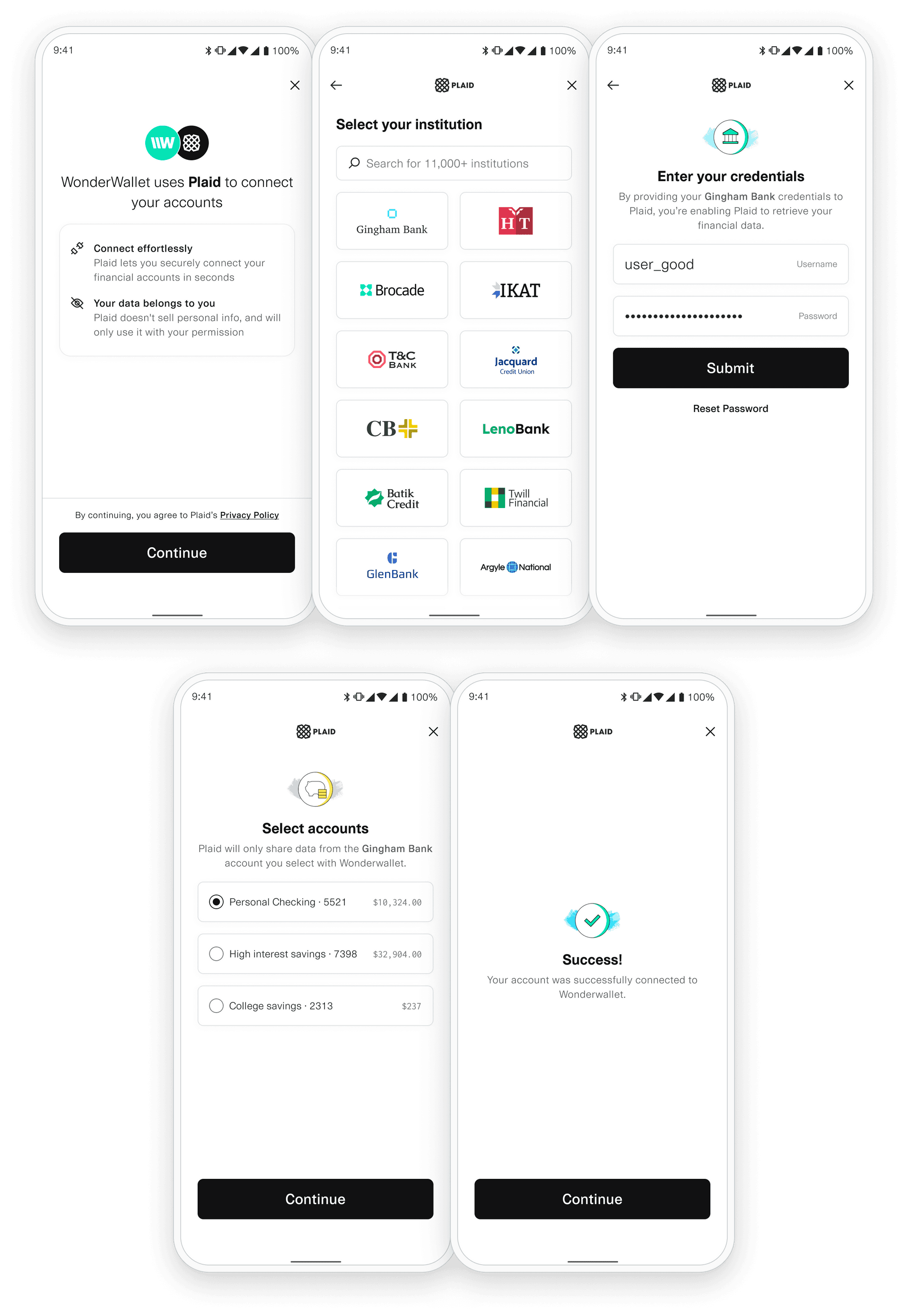
Requirements
- The latest version of Android Studio
- A Plaid
client_idandsecret, available from the Plaid Dashboard - Android 5.0 (API level 21) and above
A new version of the Android SDK will be released around the 15th of every month. You should keep your version up-to-date to provide the best Plaid Link experience in your application.
Update your project plugins
In your root-level (project-level) Gradle file (build.gradle), add rules to include
the Android Gradle plugin. Check that you have Google's Maven repository, as well.
1buildscript {2 repositories {3 // Check that you have the following line (if not, add it):4 google() // Google's Maven repository5 mavenCentral() // Include to import Plaid Link Android SDK6 jcenter() // Include to import Plaid Link transitive dependencies7 }8 dependencies {9 // ...10 }11}Add the PlaidLink SDK to your app
In your module (app-level) Gradle file (usually app/build.gradle), add a line to the bottom of the file.
The latest version of the PlaidLink SDK is 
1android {2 defaultConfig {3 minSdkVersion 21 // or greater4 }5}67dependencies {8 // ...9 implementation 'com.plaid.link:sdk-core:<insert latest version>'10}Register your app ID
To register your Android app ID:
- Log in to the Plaid Dashboard
- Navigate to the API pane on the Team Settings page
- Configure one or more Android package names (e.g.
com.plaid.example) - Save your changes
Your Android app is now set up and ready to start integrating with the Plaid SDK.
Initialize Plaid Link Instance
Create an instance of Plaid Link by calling Plaid.initialize(application).
Try to do this as early as possible to speed up opening Plaid Link.
1import android.app.Application2import com.plaid.link.Plaid34class MyApplication : Application() {56 override fun onCreate() {7 super.onCreate()8 Plaid.initialize(this)9 }Open Link
The Plaid object can be used to open Link with the given configuration. With Kotlin you can
use the openPlaidLink extension function from an Activity or Fragment.
accountSubtypesproduct parameter. You can further limit the accounts shown in Link by using accountSubtypes to specify the account subtypes to be shown in Link. Only the specified subtypes will be shown. To indicate that all subtypes should be shown, use the value "all". If the accountSubtypes filter is used, any account type for which a filter is not specified will be entirely omitted from Link.Example value:
{
"depository": ["checking", "savings"],
"credit": ["all"]
}
For a full list of valid types and subtypes, see the Account schema.
For institutions using OAuth, the filter will not affect the list of institutions shown by the bank in the OAuth window.
clientNamecountryCodesLocale country. If Link is launched with multiple countryCodes only products that you are enabled for in all specified countries will be available.
Supported countries:- Canada:
Locale.CA.country - France:
Locale.FR.country - Ireland:
Locale.IE.country - Netherlands:
Locale.NL.country - Spain:
Locale.ES.country - United Kingdom:
Locale.UK.country - United States:
Locale.US.country
To use the Auth features Instant Match, Automated Micro-deposits, or Same-day Micro-deposits,
countryCodes must be set to [Locale.US.country].environment- Sandbox:
PlaidEnvironment.SANDBOX - Development:
PlaidEnvironment.DEVELOPMENT - Production:
PlaidEnvironment.PRODUCTION
languageLocale Language. English will be used by default. Supported languages:- English:
Locale.ENGLISH.language - French:
Locale.FRENCH.language - Spanish:
Locale.SPANISH.language - Dutch:
Locale.DUTCH.language
language must be set to match the language used in the customization.products- Auth:
PlaidProduct.AUTH - Transactions:
PlaidProduct.TRANSACTIONS - Identity:
PlaidProduct.IDENTITY - Assets:
PlaidProduct.ASSETS - Investments:
PlaidProduct.INVESTMENTS - Liabilities:
PlaidProduct.LIABILITIES - PaymentInitiation:
PlaidProduct.PAYMENT_INITIATION
In Production, you will be billed for each product that you specify when initializing Link. Note that a product cannot be removed from an Item once the Item has been initialized with that product. To stop billing on an Item for subscription-based products, such as Liabilities, Investments, and Transactions, remove the Item via
/item/remove.linkCustomizationNamedefault customization is used if none is provided. When using a Link customization, the language specified in the customization must match the language configured via the language parameter.logLevelASSERT, DEBUG, ERROR, INFO, VERBOSE, and WARN.publicKeypublic_key associated with your account; available from the Dashboard.tokenpayment_token or access_token. For link_token use a LinkTokenConfiguration instead.userLegalNameuserPhoneNumberuserEmailAddresswebhookAuth numbers have been successfully verified.extraParams1import android.content.Intent2import com.plaid.link.Plaid3import com.plaid.linkbase.models.LinkConfiguration4import com.plaid.linkbase.models.PlaidEnvironment5import com.plaid.linkbase.models.PlaidProduct6import com.plaid.link.configuration.LinkLogLevel78class MainActivity : AppCompatActivity() {910 override fun onCreate(savedInstanceState: Bundle?) {11 super.onCreate(savedInstanceState)1213 // Open Link – this will usually be in a click listener14 this@MainActivity.openPlaidLink(15 linkConfiguration = linkConfiguration {16 environment = PlaidEnvironment.SANDBOX17 products = listOf(PlaidProduct.TRANSACTIONS)18 clientName = "My Application name"19 language = Locale.ENGLISH.language20 countryCodes = listOf(Locale.US.country)21 webhook = "https://requestb.in"22 linkCustomizationName = "default"23 publicToken = null24 paymentToken = null25 }26 )27 }28}Handling Results and Events
The onActivityResult handler is called for the onSuccess and onExit events.
Use PlaidLinkResultHandler to parse the result out of the returned intent.
1import android.content.Intent23import com.plaid.link.LinkActivity4import com.plaid.link.Plaid5import com.plaid.linkbase.models.LinkEventListener6import com.plaid.linkbase.models.PlaidApiError7import com.plaid.linkbase.models.PlaidEnvironment8import com.plaid.linkbase.models.PlaidProduct910class MainActivity : AppCompatActivity() {1112 private val resultHandler = PlaidLinkResultHandler(13 onSuccess = { it: LinkConnection -> /* handle onSuccess */ }14 onExit = { it: PlaidError -> /* handle onExit */ }15 )1617 override fun onActivityResult(requestCode: Int, resultCode: Int, data: Intent?) {18 super.onActivityResult(requestCode, resultCode, data)19 if (!resultHandler.onActivityResult(requestCode, resultCode, data)) {20 Log.i(MainActivity.class.getSimpleName(), "Not handled");21 }22 }2324 override fun onCreate(savedInstanceState: Bundle?) {25 super.onCreate(savedInstanceState)2627 Plaid.setLinkEventListener { event -> Log.i("Event", event.toString()) }2829 ...30 }31}onSuccess
The method is called when a user successfully links an Item. The onSuccess handler returns a LinkConnection class that includes the public_token, and additional Link metadata in the form of a LinkConnectionMetadata class.
publicTokenmetadataaccountsaccounts will only include selected accounts.idaccount_idnamemasksubtypetypeverification_statuspending_automatic_verification: The Item is pending automatic verificationpending_manual_verification: The Item is pending manual micro-deposit verification. Items remain in this state until the user successfully verifies the deposit.automatically_verified: The Item has successfully been automatically verifiedmanually_verified: The Item has successfully been manually verifiedverification_expired: Plaid was unable to automatically verify the deposit within 7 calendar days and will no longer attempt to validate the Item. Users may retry by submitting their information again through Link.verification_failed: The Item failed manual micro-deposit verification because the user exhausted all 3 verification attempts. Users may retry by submitting their information again through Link.null: The Item is not using micro-deposit verification.institutionnull.name'Wells Fargo'institution_idlinkSessionIdmetadataJson1class MainActivity : AppCompatActivity() {23 private val resultHandler = PlaidLinkResultHandler(4 // ...5 onSuccess = { it: LinkConnection ->6 // Send public_token to your server, exchange for access_token7 val publicToken = it.publicToken89 val metadata = it.linkConnectionMetadata10 val accountId = metadata.accounts.first().accountId11 val accountName = metadata.accounts.first().accountName12 val accountNumber = metadata.accounts.first().accountNumber13 val accountType = metadata.accounts.first().accountType14 val accountSubType = metadata.accounts.first().accountSubType15 val institutionId = metadata.institutionId16 val institutionName = metadata.institutionName17 }18 )19}onExit
The onExit handler is called when a user exits Link without successfully linking an Item, or when an error occurs during Link initialization. The PlaidError returned from the onExit handler is meant to help you guide your users after they have exited Link. We recommend storing the error and metadata information server-side in a way that can be associated with the user. You’ll also need to include this and any other relevant information in Plaid Support requests for the user.
errorerror will be null.displayMessagenull if the error is not related to user action. This may change over time and is not safe for programmatic use.errorMessageerrorJsonLinkExitMetadatalinkSessionIdinstitutionnull.name'Wells Fargo'institution_idstatusrequires_questionsrequires_selectionsrequires_recaptcharequires_codechoose_devicerequires_credentialsrequires_accountinstitution_not_foundinstitution_notunknownrequestId1class MainActivity : AppCompatActivity() {23 private val resultHandler = PlaidLinkResultHandler(4 // ...5 onExit = {6 PlaidError error = it.error?7 String errorType = error.errorType8 String errorCode = error.errorCode9 String errorMessage = error.errorMessage10 String displayMessage = error.displayMessage1112 LinkExitMetadata metadata = it.linkExitMetadata13 String institutionId = metadata.institutionId14 String institutionName = metadata.institutionName15 String linkSessionId = metadata.linkSessionId;16 String requestId = metadata.requestId;17 },18 )19}onEvent
The onEvent callback is called at certain points in the Link flow. Unlike the handlers for onSuccess and onExit, the onEvent handler is initialized as a global lambda passed to the Plaid class. OPEN events will be sent immediately upon Link’s opening, and remaining events will be sent by the time onSuccess or onExit is called. If you need the exact time when an event happened, use the timestamp property.
The following onEvent callbacks are stable, which means that they will not be deprecated or changed: OPEN, EXIT, HANDOFF, SELECT_INSTITUTION, ERROR, BANK_INCOME_INSIGHTS_COMPLETED, IDENTITY_VERIFICATION_PASS_SESSION, IDENTITY_VERIFICATION_FAIL_SESSION. The remaining callback events are informational and subject to change.
eventNameBANK_INCOME_INSIGHTSCLOSE_OAUTHCONNECT_NEWERRORerror_code metadata.FAIL_OAUTHHANDOFFIDENTITY_VERIFICATIONview_name.IDENTITY_VERIFICATIONview_name.IDENTITY_VERIFICATIONview_name.IDENTITY_VERIFICATIONIDENTITY_VERIFICATIONIDENTITY_VERIFICATIONIDENTITY_VERIFICATIONIDENTITY_VERIFICATIONIDENTITY_VERIFICATIONIDENTITY_VERIFICATIONIDENTITY_VERIFICATIONIDENTITY_VERIFICATIONMATCHED_SELECTrouting_number was provided when calling /link/token/create. To distinguish between the two scenarios, see LinkEventMetadata.match_reason.MATCHED_SELECT_VERIFYOPENOPEN_MY_PLAIDOPEN_OAUTHSEARCH_INSTITUTIONSKIP_SUBMIT_PHONESELECT_BRANDSELECT_BRAND event is only emitted for large financial institutions with multiple online banking portals.SELECT_DEGRADEDDEGRADED health status and was shown a corresponding message.SELECT_DOWNDOWN health status and was shown a corresponding message.SELECT_FILTEREDSELECT_INSTITUTIONSUBMIT_ACCOUNT_NUMBERaccount_number_mask metadata to indicate the mask of the account number the user provided.SUBMIT_CREDENTIALSSUBMIT_MFASUBMIT_PHONESUBMIT_ROUTING_NUMBERrouting_number metadata to indicate user's routing number.TRANSITION_VIEWTRANSITION_VIEW event indicates that the user has moved from one view to the next.UPLOAD_DOCUMENTSVERIFY_PHONEVIEW_DATA_TYPESUNKNOWNUNKNOWN event indicates that the event is not handled by the current version of the SDK.LinkEventMetadataaccountNumberMaskaccount_number_mask is empty. Emitted by SUBMIT_ACCOUNT_NUMBER.errorCodeERROR, EXIT.errorMessageERROR, EXIT.errorTypeERROR, EXIT.exitStatusEXIT.institutionIdinstitutionNameinstitutionSearchQuerySEARCH_INSTITUTION.isUpdateModeOPEN.matchReasonreturning_user or routing_number if emitted by: MATCHED_SELECT_INSTITUTION.
Otherwise, this will be SAVED_INSTITUTION or AUTO_SELECT_SAVED_INSTITUTION if emitted by: SELECT_INSTITUTION.routingNumberSUBMIT_ROUTING_NUMBER.linkSessionIdlink_session_id is a unique identifier for a single session of Link. It's always available and will stay constant throughout the flow. Emitted by: all events.mfaTypecode device questions selections. Emitted by: SUBMIT_MFA and TRANSITION_VIEW when view_name is MFA.requestIdselectionselection is used to describe selected verification method, then possible values are phoneotp or password; if selection is used to describe the selected Auth Type Select flow, then possible values are flow_type_manual or flow_type_instant. Emitted by: MATCHED_SELECT_VERIFY_METHOD and SELECT_AUTH_TYPE.timestamp2017-09-14T14:42:19.350Z. Emitted by: all events.viewNameTRANSITION_VIEW.ACCEPT_TOSCONNECTEDCONSENTCREDENTIALDATA_TRANSPARENCYDATA_TRANSPARENCYDOCUMENTARYERROREXITKYC_CHECKLOADINGMATCHED_CONSENTMATCHED_CREDENTIALMATCHED_MFAMFANUMBERSOAUTHRECAPTCHARISK_CHECKSCREENINGSELECT_ACCOUNTSELECT_AUTH_TYPESELECT_BRANDSELECT_INSTITUTIONSELECT_SAVED_ACCOUNTSELECT_SAVEDSELFIE_CHECKSUBMIT_PHONEUPLOAD_DOCUMENTSVERIFY_PHONEVERIFY_SMSmetadataJson1class MainActivity : AppCompatActivity() {23 override fun onCreate(savedInstanceState: Bundle?) {45 Plaid.setLinkEventListener(linkEventListener = {6 Log.i("Event", it.toString())7 })8 }9}Plaid Link for React Native
This section provides instructions for maintaining Plaid integrations using the deprecated public_key parameter. These instructions cannot be used for new integrations or for adding OAuth support to existing integrations. For up-to-date content on this topic, see the Link React Native SDK instead. For instructions on updating an existing legacy integration, see the Link token migration guide.
To get started with Plaid Link for React Native youʼll want to sign up for free API keys through the Plaid Dashboard.
Requirements
- React Native Version 0.61.3 or higher
- See the Android setup guide and iOS setup guide for platform-specific requirements
A new version of the React Native SDK will be released around the 20th of every month. You should keep your version up-to-date to provide the best Plaid Link experience in your application.
Version Compatibility
| React Native SDK | Android SDK | iOS SDK | Status |
|---|---|---|---|
| 7.x.x | 3.2.x | >=2.0.7 | Active |
| 6.x.x | 3.x.x | >=2.0.1 | Active |
| 5.x.x | 2.1.x | >=1.1.34 | Active |
| 4.x.x | 2.0.x | <=1.1.33 | Active |
| 3.x.x | 1.x.x | <=1.1.33 | Deprecated |
| 2.x.x | 0.3.x | <=1.1.27 | Deprecated |
| 1.x.x | < 0.3.x | <=1.1.24 | Deprecated |
Getting Started
Installing the SDK
In your react-native project directory, run:
1npm install --save react-native-plaid-link-sdkNext Steps
- To set up the SDK for use in your Android application, see the Android setup guide.
- To set up the SDK for use in your iOS application, see the iOS setup guide.
PlaidLink
PlaidLink is the the React component used to open Link from a React Native application. PlaidLink renders a Pressable component, which wraps the component you provide and intercepts onPress events to open Link.
plaidLink_legacyonSuccesspublicKeyConfigpublicKeypublic_key associated with your account; available from the Dashboard.oauthConfigurationoauthNonceoauthNonce is required to support OAuth authentication flows when launching or re-launching Link on a mobile device and using one or more European country codes. The nonce must be at least 16 characters long.oauthRedirectUrioauthRedirectUri is required to support OAuth authentication flows when launching Link on a mobile device and using one or more European country codes. Note that any redirect URI must also be added to the Allowed redirect URIs list in the developer dashboard.clientNamecountryCodesUS, CA, ES, FR, GB, IE, NL. If not specified, will default to ['US']. If Link is launched with multiple countryCodes, only products that you are enabled for in all countries will be used by Link.If a Link customization is being used, the countries configured here should match those in the customization.
environmentsandbox, development, and production.producttransactions, auth, identity, assets, investments, liabilities, and payment_initiation. Example: ['auth', 'transactions']. balance is not a valid value, the Balance product does not require explicit initialization and will automatically be initialized when any other product is initialized. Only institutions that support all requested products will be shown in Link. In Production, you will be billed for each product that you specify when initializing Link. Note that a product cannot be removed from an Item once the Item has been initialized with that product. To stop billing on an Item for subscription-based products, such as Liabilities, Investments, and Transactions, remove the Item via
/item/remove.accountSubtypesproduct parameter. You can further limit the accounts shown in Link by using accountSubtypes to specify the account subtypes to be shown in Link. Only the specified subtypes will be shown. To indicate that all subtypes should be shown, use the value "all". If the accountSubtypes filter is used, any account type for which a filter is not specified will be entirely omitted from Link.Example value:
{
"depository": ["checking", "savings"],
"credit": ["all"]
}
For a full list of valid types and subtypes, see the Account schema.
For institutions using OAuth, the filter will not affect the list of institutions shown by the bank in the OAuth window.
linkCustomizationNamedefault customization is used if none is provided. When using a Link customization, the language in the customization must match the language configured via the language parameter.tokenlink_token to authenticate your app with Link. This is a short lived, one-time use token that should be unique for each Link session. In addition to the primary flow, a link_token can be configured to launch Link in update mode. See the /link/token/create endpoint for a full list of configurations.userLegalNameuserPhoneNumberuserEmailAddresswebhookAuth numbers have been successfully verified.logLevelDEBUG, INFO, WARN, ERRORextraParamsonExitchildren1<PlaidLink2 publicKeyConfig={{3 clientName: 'Client Name',4 publicKey: '<INSERT PUBLIC KEY>',5 environment: PlaidEnvironment.SANDBOX,6 products: Array.of(PlaidProduct.AUTH),7 language: 'en',8 countryCodes: Array.of('US'),9 logLevel: LinkLogLevel.DEBUG,10 oauthConfiguration: {11 nonce: '',12 redirectUri: 'https://myapp.example.com',13 },14 }}15 onSuccess={(success: LinkSuccess) => {16 console.log(success);17 }}18 onExit={(exit: LinkExit) => {19 console.log(exit);20 }}21>22 <Text>Add Account</Text>23</PlaidLink>onSuccess
The onSuccess callback returns a LinkSuccess object.
The method is called when a user successfully links an Item. The onSuccess handler returns a LinkConnection class that includes the public_token, and additional Link metadata in the form of a LinkConnectionMetadata class.
publicTokenmetadataaccountsaccounts will only include selected accounts.idaccount_idnamemasktypesubtypeverification_statuspending_automaticpending_manualautomatically_verifiedmanually_verifiedverification_expiredverification_failednullinstitutionnull.linkSessionIdmetadataJson1const onSuccess = (success: LinkSuccess) => {2 fetch('https://yourserver.com/get_access_token', {3 method: 'POST',4 body: {5 publicToken: linkSuccess.publicToken,6 accounts: linkSuccess.metadata.accounts,7 institution: linkSuccess.metadata.institution,8 linkSessionId: linkSuccess.metadata.linkSessionId,9 },10 });11};onExit
The onExit handler is called when a user exits Link without successfully linking an Item, or when an error occurs during Link initialization. The PlaidError returned from the onExit handler is meant to help you guide your users after they have exited Link. We recommend storing the error and metadata information server-side in a way that can be associated with the user. You’ll also need to include this and any other relevant info in Plaid Support requests for the user.
errorerror will be null.displayMessagenull if the error is not related to user action. This may change over time and is not safe for programmatic use.errorCodeerrorType has a specific set of errorCodes. A code of 499 indicates a client-side exception.errorTypeerrorMessageerrorJsonmetadatalinkSessionIdinstitutionnull.statusrequires_questionsrequires_selectionsrequires_recaptcharequires_codechoose_devicerequires_credentialsrequires_accountrequires_oauthinstitution_not_foundinstitution_notunknownrequestIdmetadataJson1const onExit = (linkExit: LinkExit) => {2 supportHandler.report({3 error: linkExit.error,4 institution: linkExit.metadata.institution,5 linkSessionId: linkExit.metadata.linkSessionId,6 requestId: linkExitlinkExit.metadata.requestId,7 status: linkExit.metadata.status,8 });9};onEvent
The React Native Plaid module emits onEvent events throughout the account linking process.
To receive these events use the usePlaidEmitter hook.
The onEvent callback is called at certain points in the Link flow. Unlike the handlers for onSuccess and onExit, the onEvent handler is initialized as a global lambda passed to the Plaid class. OPEN events will be sent immediately upon Link’s opening, and remaining events will be sent by the time onSuccess or onExit is called. If you need the exact time when an event happened, use the timestamp property.
The following onEvent callbacks are stable, which means that they will not be deprecated or changed: OPEN, EXIT, HANDOFF, SELECT_INSTITUTION, ERROR, BANK_INCOME_INSIGHTS_COMPLETED, IDENTITY_VERIFICATION_PASS_SESSION, IDENTITY_VERIFICATION_FAIL_SESSION. The remaining callback events are informational and subject to change.
eventNameBANK_INCOME_INSIGHTSCLOSE_OAUTHCONNECT_NEWERRORerror_code metadata.FAIL_OAUTHHANDOFFIDENTITY_VERIFICATIONview_name.IDENTITY_VERIFICATIONview_name.IDENTITY_VERIFICATIONview_name.IDENTITY_VERIFICATIONIDENTITY_VERIFICATIONIDENTITY_VERIFICATIONIDENTITY_VERIFICATIONIDENTITY_VERIFICATIONIDENTITY_VERIFICATIONIDENTITY_VERIFICATIONIDENTITY_VERIFICATIONIDENTITY_VERIFICATIONMATCHED_SELECTrouting_number was provided when calling /link/token/create. To distinguish between the two scenarios, see metadata.matchReason.MATCHED_SELECT_VERIFYOPENOPEN_MY_PLAIDOPEN_OAUTHSEARCH_INSTITUTIONSELECT_BRANDSELECT_BRAND event is only emitted for large financial institutions with multiple online banking portals.SELECT_DEGRADEDDEGRADED health status and was shown a corresponding message.SELECT_DOWNDOWN health status and was shown a corresponding message.SELECT_FILTEREDSELECT_INSTITUTIONSKIP_SUBMIT_PHONESUBMIT_ACCOUNT_NUMBERaccount_number_mask metadata to indicate the mask of the account number the user provided.SUBMIT_CREDENTIALSSUBMIT_MFASUBMIT_PHONESUBMIT_ROUTING_NUMBERrouting_number metadata to indicate user's routing number.TRANSITION_VIEWTRANSITION_VIEW event indicates that the user has moved from one view to the next.VERIFY_PHONEVIEW_DATA_TYPESUNKNOWNUNKNOWN event indicates that the event is not handled by the current version of the SDK.metadatasubmitAccountNumberaccount_number_mask is empty. Emitted by SUBMIT_ACCOUNT_NUMBER.errorCodeERROR, EXIT.errorMessageERROR, EXIT.errorTypeERROR, EXIT.exitStatusEXIT.institutionIdinstitutionNameinstitutionSearchQuerySEARCH_INSTITUTION.isUpdateModeOPEN.matchReasonreturning_user or routing_number if emitted by: MATCHED_SELECT_INSTITUTION.
Otherwise, this will be SAVED_INSTITUTION or AUTO_SELECT_SAVED_INSTITUTION if emitted by: SELECT_INSTITUTION.routingNumberSUBMIT_ROUTING_NUMBER.linkSessionIdlinkSessionId is a unique identifier for a single session of Link. It's always available and will stay constant throughout the flow. Emitted by: all events.mfaTypecode device questions selections. Emitted by: SUBMIT_MFA and TRANSITION_VIEW when view_name is MFA.requestIdselectionselection is used to describe selected verification method, then possible values are phoneotp or password; if selection is used to describe the selected Auth Type Select flow, then possible values are flow_type_manual or flow_type_instant. Emitted by: MATCHED_SELECT_VERIFY_METHOD and SELECT_AUTH_TYPE.timestamp2017-09-14T14:42:19.350Z. Emitted by: all events.viewNameTRANSITION_VIEW.ACCEPT_TOSCONNECTEDCONSENTCREDENTIALDATA_TRANSPARENCYDATA_TRANSPARENCYDOCUMENTARYERROREXITKYC_CHECKLOADINGMATCHED_CONSENTMATCHED_CREDENTIALMATCHED_MFAMFANUMBERSOAUTHRECAPTCHARISK_CHECKSCREENINGSELECT_ACCOUNTSELECT_AUTH_TYPESELECT_BRANDSELECT_INSTITUTIONSELECT_SAVED_ACCOUNTSELECT_SAVEDSELFIE_CHECKSUBMIT_PHONEUPLOAD_DOCUMENTSVERIFY_PHONEVERIFY_SMS1usePlaidEmitter((event: LinkEvent) => {2 console.log(event);3});OAuth
Using Plaid Link with an OAuth flow requires some additional setup instructions. For details, see the OAuth guide.
Upgrading
- To upgrade from version 6.x to 7.x, see the 6.x to 7.x migration guide.
- To upgrade from version 5.x to 7.x, see the 5.x to 7.x migration guide.
Plaid Link for Webviews
This section provides instructions for maintaining Plaid integrations using the deprecated public_key parameter. These instructions cannot be used for new integrations or for adding OAuth support to existing integrations. For up-to-date content on this topic, see the Link Webview SDK instead. For instructions on updating an existing legacy integration, see the Link token migration guide.
Here you will find instructions on how to integrate and use Plaid Link inside a Webview. We recommend starting with one of our sample Webview apps:
Each example app is runnable (on both simulators and devices) and includes code to initialize Link and process events sent from Link to your app via HTTP redirects.
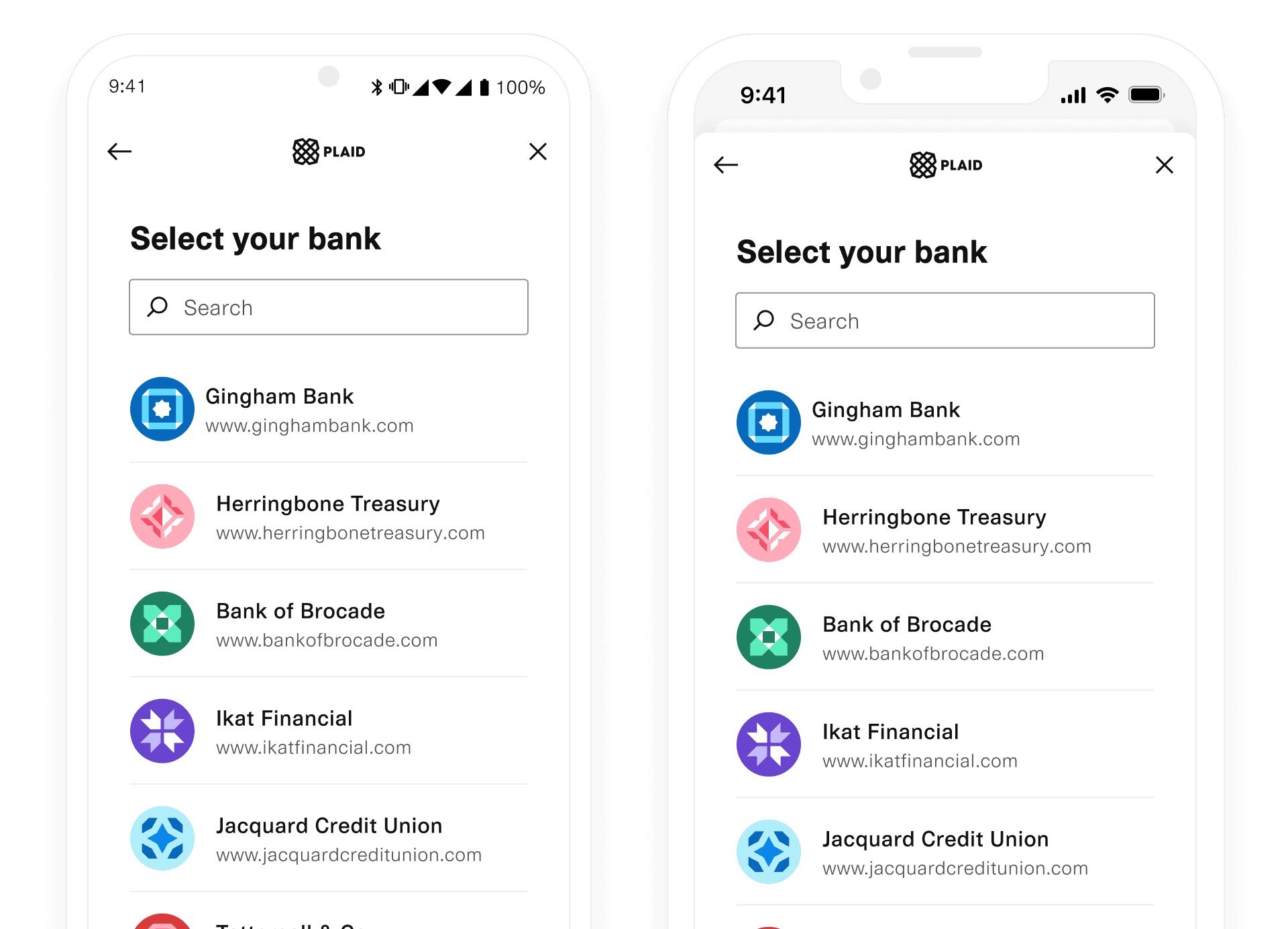
Installation
Link is optimized to work within Webviews, including on iOS and Android. The Link initialization URL to use for Webviews is:
1https://cdn.plaid.com/link/v2/stable/link.htmlThe Link configuration options for a Webview integration are passed via querystring rather than via a client-side JavaScript call. See the create section below for details on the available initialization parameters.
Communication between Link and your app
Communication between the Webview and your app is handled by HTTP redirects rather than client-side JavaScript callbacks. These redirects should be intercepted by your app. The example apps include sample code to do this.
All redirect URLs have the scheme plaidlink. The event type is communicated via the URL host and data is passed via the querystring.
1plaidlink://There are three supported events, connected, exit, and event, which are documented below.
Create
isWebviewtrue, to trigger the Webview integration.clientNameenvdevelopment, sandbox, respectively. For Production use, use production.keypublic_key associated with your account; available from the Dashboard.producttransactions, auth, identity, assets, investments, liabilities, and payment_initiation. Example: auth,transactions. balance is not a valid value, the Balance product does not require explicit initialization and will automatically be initialized when any other product is initialized. Only institutions that support all requested products will be shown in Link. In Production, you will be billed for each product that you specify when initializing Link. Note that a product cannot be removed from an Item once the Item has been initialized with that product. To stop billing on an Item for subscription-based products, such as Liabilities, Investments, and Transactions, remove the Item via
/item/remove.language- English (
en) - French (
fr) - Spanish (
es) - Dutch (
nl)
language must be set to match the language used in the customization.countryCodesUS, CA, ES, FR, GB, IE, NL. If not specified, will default to ['US']. If Link is launched with multiple countryCodes, only products that you are enabled for in all countries will be used by Link.If a Link customization is being used, the countries configured here should match those in the customization.
To use the Auth features Instant Match, Automated Micro-deposits, or Same-day Micro-deposits,
countryCodes must be set to ['US'].accountSubtypesproduct parameter. You can further limit the accounts shown in Link by using accountSubtypes to specify the account subtypes to be shown in Link. Only the specified subtypes will be shown. To indicate that all subtypes should be shown, use the value "all". If the accountSubtypes filter is used, any account type for which a filter is not specified will be entirely omitted from Link.Example value:
{
"depository": ["checking", "savings"],
"credit": ["all"]
}
For a full list of valid types and subtypes, see the Account schema.
For institutions using OAuth, the filter will not affect the list of institutions shown by the bank in the OAuth window.
<accountType>: [accountSubtype]webhookAuth numbers have been successfully verified.linkCustomizationNamedefault customization is used if none is provided. When using a Link customization, the language in the customization must match the language configured via the language parameter.tokenpublic_token to launch Link in update mode for a particular Item. This will cause Link to open directly to the authentication step for that Item's institution. Use the /item/public_token/create endpoint to generate a public_token for an Item.oauthNonceoauthNonce is required to support OAuth authentication flows when launching or re-launching Link on a mobile device and using one or more European country codes. The nonce must be at least 16 characters long.oauthRedirectUrioauthRedirectUri is required to support OAuth authentication flows when launching Link on a mobile device and using one or more European country codes.oauthStateIdoauthStateId is required to support OAuth authentication flows when re-launching Link on a mobile device and using one or more European country codes.paymentTokenpaymentToken must be specified if you are using the Payment Initiation (UK and Europe) product. This will cause Link to open directly to the Payment Initiation flow. Use the /payment_initiation/payment/token/create endpoint to generate a payment_token.1https://cdn.plaid.com/link/v2/stable/link.html2 ?isWebview=true3 &clientName=Your%20App4 &env=sandbox5 &key=PUBLIC_KEY6 &product=transactions,auth7 &language=en8 &countryCodes=US,CA9 &webhook=https%3A%2F%2Fyourappurl.com10 &linkCustomizationName=default11 &token=12 &paymentToken=13 &oauthNonce=14 &oauthRedirectUri=15 &oauthStateId=connected
The connected event is analogous to the onSuccess callback in Link Web and is sent when a user successfully links an Item. The following information is available from the querystring event:
public_tokeninstitution_name'Wells Fargo'institution_idaccountsaccounts will only include selected accounts._idaccount_idtypesubtypeverification_statusverification_status. See Auth accounts for a full list of possible values.class_typebusiness or personal account.transfer_statusCOMPLETE– The transfer was completed.INCOMPLETE– The transfer could not be completed. For help, see Troubleshooting transfers.
COMPLETE, INCOMPLETElink_session_id1plaidlink://connected2 ?public_token=public-sandbox-fb7cca4a-82e6-47073 &institution_id=ins_34 &institution_name=Chase5 &accounts='[{"name":"Plaid Savings","id":"QPO8Jo8vdDHMepg41PBwckXm4KdK1yUdmXOwK", "mask": "0000", "type": "depository", "subtype": "checking"}]'6 &link_session_id=79e772be-547d-4c9c-8b76-4ac4ed4c441a1accounts= [2 {3 id: 'ygPnJweommTWNr9doD6ZfGR6GGVQy7fyREmWy',4 name: 'Plaid Checking',5 mask: '0000',6 type: 'depository',7 subtype: 'checking',8 verification_status: ''9 },10 {11 id: '9ebEyJAl33FRrZNLBG8ECxD9xxpwWnuRNZ1V4',12 name: 'Plaid Saving',13 mask: '1111',14 type: 'depository',15 subtype: 'savings'16 }17 ...18]exit
The exit event is analogous to the onExit callback and is sent when a user exits Link without successfully linking an Item, or when an error occurs during Link initialization. Note that on Android devices, an exit event will not be sent if the user exits Link through a system action, such as hitting the browser back button. The following information is available from the querystring:
statusrequires_questionsrequires_selectionsrequires_codechoose_devicerequires_credentialsrequires_accountrequires_oauthinstitution_not_foundinstitution_noterror_typeerror_codeerror_type has a specific set of error_codes.error_messagedisplay_messagenull if the error is not related to user action. This may change over time and is not safe for programmatic use.institution_nameWells Fargoinstitution_idlink_session_idrequest_id1plaidlink://exit2 ?status=requires_credentials3 &error_type=ITEM_ERROR4 &error_code=ITEM_LOGIN_REQUIRED5 &error_display_message=The%20credentials%20were%20not%20correct.%20Please%20try%20again.6 &error_message=the%20credentials%20were%20not%20correct7 &institution_id=ins_38 &institution_name=Chase9 &link_session_id=79e772be-547d-4c9c-8b76-4ac4ed4c441a10 &request_id=m8MDnv9okwxFNBVevent
The event message is analogous to the Link Web onEvent callback and is called as the user moves through the Link flow. The querystring will always contain all possible keys, though not all keys will have values. The event_name will dictate which keys are populated.
event_nameBANK_INCOME_INSIGHTSCLOSE_OAUTHCONNECT_NEWERRORerror_code metadata.FAIL_OAUTHHANDOFFMATCHED_SELECTrouting_number was provided when calling /link/token/create. To distinguish between the two scenarios, see metadata.match_reason.MATCHED_SELECT_VERIFYOPENOPEN_MY_PLAIDOPEN_OAUTHSEARCH_INSTITUTIONSELECT_BRANDSELECT_BRAND event is only emitted for large financial institutions with multiple online banking portals.SELECT_DEGRADEDDEGRADED health status and was shown a corresponding message.SELECT_DOWNDOWN health status and was shown a corresponding message.SELECT_FILTEREDSELECT_INSTITUTIONSKIP_SUBMIT_PHONESUBMIT_ACCOUNT_NUMBERaccount_number_mask metadata to indicate the mask of the account number the user provided.SUBMIT_CREDENTIALSSUBMIT_DOCUMENTSSUBMIT_DOCUMENTS_ERRORSUBMIT_DOCUMENTSSUBMIT_MFASUBMIT_PHONESUBMIT_ROUTING_NUMBERrouting_number metadata to indicate user's routing number.TRANSITION_VIEWTRANSITION_VIEW event indicates that the user has moved from one view to the next.VERIFY_PHONEVIEW_DATA_TYPESerror_typeERROR, EXIT.error_codeERROR, EXIT.error_messageERROR, EXIT.exit_statusEXITinstitution_idinstitution_nameinstitution_searchSEARCH_INSTITUTION.is_update_modeOPEN.match_reasonreturning_user or routing_number if emitted by: MATCHED_SELECT_INSTITUTION.
Otherwise, this will be SAVED_INSTITUTION or AUTO_SELECT_SAVED_INSTITUTION if emitted by: SELECT_INSTITUTION.mfa_typecode, device, questions, selections. Emitted by: SUBMIT_MFA and TRANSITION_VIEW when view_name is MFAview_nameTRANSITION_VIEW.ACCEPT_TOSCONNECTEDCONSENTCREDENTIALDATA_TRANSPARENCYDATA_TRANSPARENCYDOCUMENTARYERROREXITKYC_CHECKLOADINGMATCHED_CONSENTMATCHED_CREDENTIALMATCHED_MFAMFANUMBERSOAUTHRECAPTCHARISK_CHECKSCREENINGSELECT_ACCOUNTSELECT_BRANDSELECT_INSTITUTIONSELECT_SAVED_ACCOUNTSELECT_SAVEDSELFIE_CHECKSUBMIT_PHONEVERIFY_PHONEVERIFY_SMSrequest_idlink_session_idlink_session_id is a unique identifier for a single session of Link. It's always available and will stay constant throughout the flow. Emitted by: all events.timestamp2017-09-14T14:42:19.350Z. Emitted by: all events.selectionselection is used to describe selected verification method, then possible values are phoneotp or password; if selection is used to describe the selected Flexible Auth flow, then possible values are flow_type_manual or flow_type_instant. Emitted by: MATCHED_SELECT_VERIFY_METHOD and SELECT_AUTH_TYPE.1plaidlink://event2 &event_name=SELECT_INSTITUTION3 ?error_type=ITEM_ERROR4 &error_code=ITEM_LOGIN_REQUIRED5 &error_message=the%20credentials%20were%20not%20correct6 &exit_status7 &institution_id=ins_558 &institution_name=HSBC9 &institution_search_query=h10 &mfa_type11 &view_name=ERROR12 &request_id13 &link_session_id=821f45a8-854a-4dbb-8e5f-73f75350e7e714 ×tamp=2018-10-05T15%3A22%3A50.542ZUpdate mode
When to use update mode
Over time, Items may need to refresh authentication information. This can happen if the user changes a password, if MFA requirements change, or if the login becomes locked. An Item can also require its authentication refreshed if it was only authorized for a limited amount of time and that authorization has expired or is about to expire. This can commonly happen to Items from European institutions that comply with the PSD2 regulation, which mandates that access to an Item can only be granted for 90 days at a time before it must be refreshed. Receiving an ITEM_LOGIN_REQUIRED error or a PENDING_EXPIRATION webhook indicates that the Item should be re-initialized via update mode.
Using update mode
To use update mode for an Item, initialize Link with a public_token for the Item that you wish to update. You can obtain the public_token using the /item/public_token/create endpoint:
1// Create a one-time use public_token for the Item.2// This public_token can be used to initialize Link3// in update mode for the user4app.get('/create_public_token', function(request, response, next) {5 client.createPublicToken(ACCESS_TOKEN, function(err, res) {6 if(error != null) {7 console.log(msg + "\n" + JSON.stringify(err));8 response.json({error: JSON.stringify(err)}):9 } else {10 // Use the public_token to initialize Link11 var PUBLIC_TOKEN = res.public_token;12 response.json({public_token: PUBLIC_TOKEN});13 }14 });15});Link auto-detects the appropriate institution and handles the credential and multi-factor authentication process, if needed.
An Item's access_token does not change when using Link in update mode, so there is no need to repeat the exchange token process.
1// Initialize Link with the token parameter2// set to the generated public_token for the Item3const linkHandler = Plaid.create({4 env: 'sandbox',5 clientName: 'Client Name',6 key: 'PUBLIC_KEY',7 product: ['transactions'],8 token: 'GENERATED_PUBLIC_TOKEN',9 onSuccess: (public_token, metadata) => {10 // You do not need to repeat the /item/public_token/exchange11 // process when a user uses Link in update mode.12 // The Item's access_token has not changed.13 },14 onExit: (err, metadata) => {15 // The user exited the Link flow.16 if (err != null) {17 // The user encountered a Plaid API error prior18 // to exiting.19 }20 // metadata contains the most recent API request ID and the21 // Link session ID. Storing this information is helpful22 // for support.23 },24});Link will automatically detect the institution ID associated with the public_token and present the appropriate credential view to your user.
Related errors
Below is a list of errors that you may encounter in update mode or that may cause you to launch the update mode flow:
ITEM_LOGIN_REQUIRED– The financial institution indicated that the user's password or MFA information has changed. They will need to reauthenticate via Link's update mode.INVALID_UPDATED_USERNAME– The username associated with an item is no longer valid.
OAuth Integration (Europe)
This section provides instructions for maintaining Plaid integrations using the deprecated public_key parameter. These instructions cannot be used for new integrations or for adding OAuth support to existing integrations. For instructions on updating an existing legacy integration, see the Link token migration guide.
Some European institutions use an OAuth authentication flow, in which Plaid Link redirects the end user to their bank’s website or mobile app to authenticate. If you are initializing Link with one or more European country codes, your integration may require changes in order to support OAuth authentication flows.
| Integration Type | Changes Required |
|---|---|
| Desktop web | No |
| Mobile web | Yes |
| WebView | Yes |
| Android SDK | No |
| iOS SDK | Yes |
| React Native for Android | No |
| React Native for iOS | Yes |
If your integration requires changes, you will need to launch Link twice, once before and once after the OAuth redirect. The first time, you will need to provide two additional configuration parameters, oauthNonce and oauthRedirectUri. After the user completes the OAuth flow, Plaid will redirect back to your application via the oauthRedirectUri with a query parameter called oauth_state_id. To complete the Link flow, dismiss the first Link instance and re-initialize Link with two configuration parameters, the oauthNonce from the original Link initialization, as well as the oauthStateId from the oauth_state_id query parameter.
For security, the oauthNonce must be uniquely generated for each login and must be at least 16 characters long. We recommend using a UUID.
Before re-initializing Link, you should re-authenticate the end user to prevent a confused deputy problem. This can be accomplished by including one or more query parameters in your oauthRedirectUri. For example, you could include a parameter called user_id. Before re-initializing Link, you would check that the user_id in the redirect URI matches the user_id in your application state (e.g. a cookie).
Note that in mobile web browsers, if the end user has their bank’s mobile app installed, they will be redirected to the bank’s mobile app to authenticate, after which they will be redirected back to your web application in a new tab.
Allowed redirect URIs
To prevent open redirect attacks, your oauthRedirectUri must be configured through the Plaid Dashboard. For security, the oauthRedirectUri cannot contain the oauthNonce.
App links
For mobile app integrations, the oauthRedirectUri must be registered as an app link to enable app-to-app authentication flows. You will need to configure an Android App Link or an Apple App Association File. Custom URI schemes are not supported; a proper universal link must be used.
Payment Initiation (UK and Europe)
This section provides instructions for maintaining Plaid integrations using the deprecated public_key parameter. These instructions cannot be used for new integrations or for adding OAuth support to existing integrations. For up-to-date content on this topic, see Payment Initiation instead. For instructions on updating an existing legacy integration, see the Link token migration guide.
The UK Payment Initiation API enables payment transfers within your app. Plaid supports both domestic payments denominated in pound sterling (typically via the Faster Payments network, although this is up to the institution) and international payments denominated in euro (typically via SEPA Credit Transfer). Each time a client wants to receive a payment, the end user must authorize the payment in Link before the payment can be initiated.
Note: The revised EU Directive on Payment Services ("PSD2") regulations require strong customer authentication ("SCA") for each payment order.
Initializing Link
To initialize Link for Payment Initiation, set payment_initiation as the only product and include the payment token. If an item has previously been created for the end user making the payment, a public_token can be included to initialize Link directly to the institution associated with the existing Item.
Creating a payment token
Create payment token
The /payment_initiation/payment/token/create endpoint has been deprecated. New Plaid customers will be unable to use this endpoint, and existing customers are encouraged to migrate to the newer, link_token-based flow. The recommended flow is to provide the payment_id to /link/token/create, which returns a link_token used to initialize Link.
The /payment_initiation/payment/token/create is used to create a payment_token, which can then be used in Link initialization to enter a payment initiation flow. You can only use a payment_token once. If this attempt fails, the end user aborts the flow, or the token expires, you will need to create a new payment token. Creating a new payment token does not require end user input.
Request fields and example
client_idclient_id. The client_id is required and may be provided either in the PLAID-CLIENT-ID header or as part of a request body.secretsecret. The secret is required and may be provided either in the PLAID-SECRET header or as part of a request body.payment_idpayment_id returned from /payment_initiation/payment/create.1const response = await client.createPaymentToken(paymentID).catch((err) => {2 // handle error3});4const paymentToken = response.payment_token;5const paymentTokenExpirationTime = response.payment_token_expiration_time;Response fields and example
payment_tokenpayment_token that can be provided to Link initialization to enter the payment initiation flowpayment_tokenpayment_token expires after 15 minutes.date-time request_id1{2 "payment_token": "payment-token-sandbox-feca8a7a-5591-4aef-9297-f3062bb735d3",3 "payment_token_expiration_time": "2020-01-01T00:00:00Z",4 "request_id": "4ciYVmesrySiUAB"5}